How to Choose the Best Laser CNC Machine?
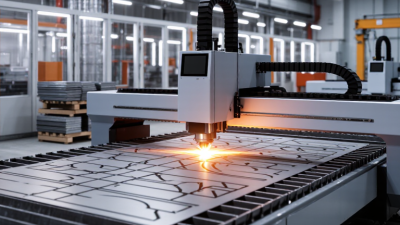
Choosing the right Laser Cnc machine starts with the work, not the brochure. What materials will you cut? How thick are they? Will the machine run occasional prototypes or daily production? A 100-watt laser may handle fine engraving and thin sheet, while thicker stock can demand greater power, slower feed rates, or multiple passes. Those choices affect cut quality, throughput, energy use, and maintenance.
The market is growing, but growth alone does not identify the right machine. Fortune Business Insights estimated the global laser-cutting-machine market at approximately US$5.2 billion in 2023 and projected further expansion. That wider category includes different laser types and applications, so the figure should not be treated as a direct measure of CNC laser demand. Still, it signals a mature, competitive equipment sector. Compare specifications carefully. A quoted cutting speed may apply only to a particular material, thickness, and setup.
As laser pioneer Theodore Maiman is often quoted, “The laser is a solution looking for a problem.” For buyers, that is a useful warning: define the production problem before selecting the technology. Check the working area, source type, software workflow, extraction system, service access, and the supplier’s support record. Ask for a sample cut using your own material. Look closely at the edge, kerf, and residue. Small details matter. A polished demo is not a production test. No single machine is best for every shop, and a specification sheet cannot reveal every limitation. This guide explains how to weigh practical requirements, verify claims, and choose with fewer costly surprises.
Identify Your Intended Applications and Materials
How to Choose the Best Laser CNC Machine?
Identify Your Intended Applications and Materials
Begin with the objects you plan to make. Are you cutting flat signs, engraving small labels, or shaping parts for prototypes? A machine suited to thin paper may struggle with thick wood. Write down your typical work size, material thickness, and weekly workload. Small details matter.
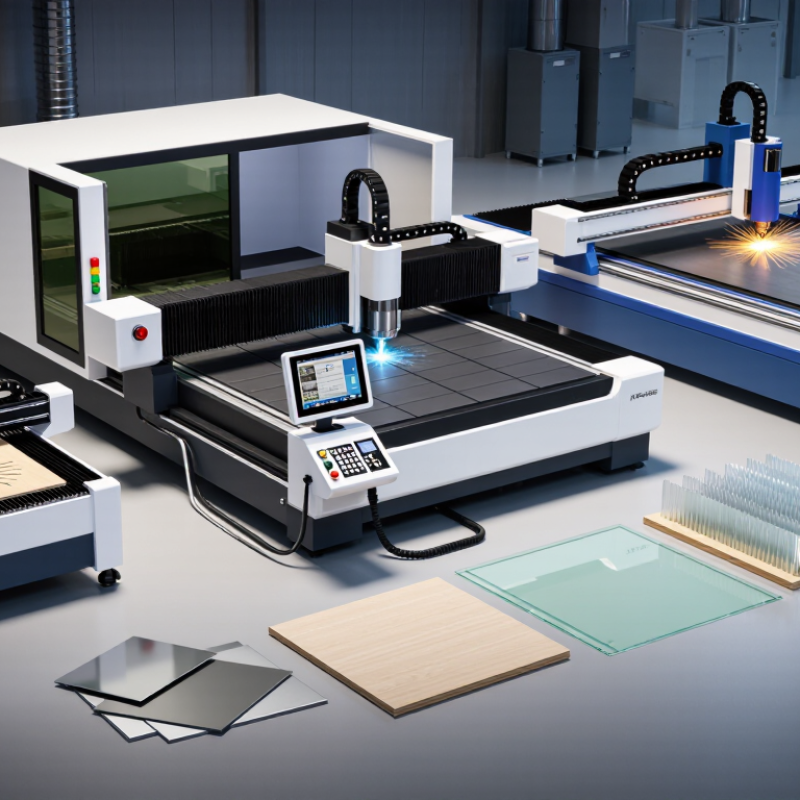
Material compatibility should guide your shortlist. Diode, CO₂, and fiber lasers interact differently with wood, acrylic, metals, and coated surfaces. Check the machine’s specifications for each material and thickness you expect to process. Do not assume a laser can cut a material just because it can mark it. Some plastics can release hazardous fumes, so verify material safety information and provide suitable ventilation.
Think about repeatability, too. If you make matching parts, consider the work area, positioning method, and software workflow. A larger bed sounds useful, but it may take up space you need for ventilation or material storage. Measure your workshop before choosing. It is easy to overestimate future projects; I would give regular jobs more weight than an occasional ambitious idea. Test settings on scraps when possible, since real results can vary with material composition and surface finish.
Compare Laser Types and Their Cutting Capabilities
Choosing a laser CNC machine starts with the material, not the advertised wattage. SPIE’s Handbook of Laser Technology and Applications lists common CO2 laser output near 10.6 μm, while industrial fiber lasers typically operate around 1.06–1.08 μm. That wavelength difference affects how materials absorb energy. Fiber lasers are generally suited to metal sheet, including steel and aluminum; CO2 systems are often more versatile for wood, acrylic, paper, and some plastics.
Diode lasers can mark or cut thin, low-density materials, but their practical cutting depth is usually limited compared with higher-power CO2 or fiber systems. Think of a thin plywood edge versus a thick metal plate: the same machine settings will not deliver equivalent results. Keep this in mind. SPIE’s technical references describe wavelength and laser behavior, but they do not provide one universal thickness rating for every machine. Actual capacity depends on power, lens, focus, assist gas, and material grade. I still find “maximum thickness” comparisons imperfect; test cuts on your own stock are more useful than a headline figure. Check the kerf, edge discoloration, and cut consistency before choosing.
Match Machine Power, Work Area, and Accuracy to Your Needs
Choosing a laser CNC machine starts with the material, not the headline wattage. A 2023 Grand View Research industry report valued the global laser cutting machine market at about USD 5.2 billion, reflecting broad adoption across manufacturing. That growth does not mean every shop needs a high-power system. Match power to your thickest regular material and expected daily workload; excess power can raise operating costs without improving thin-sheet work. Small details matter. Test sample cuts in your actual material, since coatings, focus, and assist-gas settings can change edge quality.
Size the work area around the largest part, then leave room for loading, clamps, and safe material handling. A bed that fits the drawing may still feel cramped in production. Accuracy needs equal care: compare positioning accuracy and repeatability in the machine specifications, then check finished-part tolerances. ISO 9013:2017 classifies quality and dimensional tolerances for thermal cuts, but it does not replace a machine’s own positioning specifications. Ask for a cut test and measure several features, not just one clean edge. I would allow a practical margin for setup variation; perfect shop conditions rarely last all day.
Assess Software, Safety Features, and Operating Requirements
How to Choose the Best Laser CNC Machine?
Assess Software, Safety Features, and Operating Requirements
Software should fit the work you actually do. Check whether it imports your usual vector and CAD files, previews toolpaths, and flags errors before cutting. A preview is useful, but it cannot catch every setup mistake. Test a real project file before buying; look closely at small text, curves, and layered designs.
Safety deserves equal attention. Inspect the enclosure, door interlocks, emergency stop, and exhaust connection in person. The U.S. Bureau of Labor Statistics reported 2.6 million nonfatal workplace injuries and illnesses among private-industry employers in 2023. That figure covers many kinds of work, not laser machines specifically, but it underscores why safeguards and training matter. Ask how filters are changed and what materials require separate ventilation. Details count.
Match operating requirements to your workspace. Measure the machine, leave room to load full-size sheets, and check electrical supply, noise, cooling, and routine maintenance needs. A quieter machine may still need substantial extraction. One easy-to-miss detail: confirm who will clean lenses and align the beam, and how often. I would also budget time for operator training. It can feel like a delay, but rushed setup is a poor trade. A checklist helps, though real-world habits may still slip.
Compare Total Costs, Support, and Machine Reliability
A laser CNC machine’s purchase price is only the entry point. Budget for extraction, cooling, electrical work, tooling, and operator training. A small workshop may also need sound control or upgraded ventilation. Ask suppliers for a written installation list and a realistic estimate for consumables. Costs add up. I would still keep a contingency; setup delays rarely fit neatly into a spreadsheet.
Reliability shows up during ordinary shifts, not just in brochures. Check frame rigidity, motion components, laser-source ratings, and access for routine maintenance. Ask how often alignment checks are needed and which parts typically wear first. If possible, inspect a machine after months of use, not only during a showroom demonstration. Run a representative job with your own material, then examine edge quality, repeatability, and residue. There is no perfect test, but real samples reveal useful details.
Support can limit downtime when something fails. Confirm response hours, remote troubleshooting options, on-site service, warranty exclusions, and parts availability. A low purchase price feels less attractive when production pauses for days while a sensor or lens is shipped. Get answers in writing. One easily missed detail is who pays shipping for warranty repairs. Compare expected costs over the machine’s service life, while allowing for changes in workload and operator experience.
How to Choose the Best Laser CNC Machine?
Compare five-year total cost, support, and reliability—not just the purchase price.
Illustrative planning scenario in USD, not market averages or supplier quotes. Estimated totals include purchase, installation, maintenance, and downtime: $37,500 for an entry-level setup, $47,000 for a mid-range setup, and $69,000 for an industrial setup. Before buying, replace these assumptions with written quotes and compare warranty coverage, parts availability, service response times, and expected downtime.
 English
  Français